No more missed deadlines, no more skipped service.
A central calendar for routine and one-off jobs. Self-regenerating checklists. Full history, invoice by invoice, hour by hour.
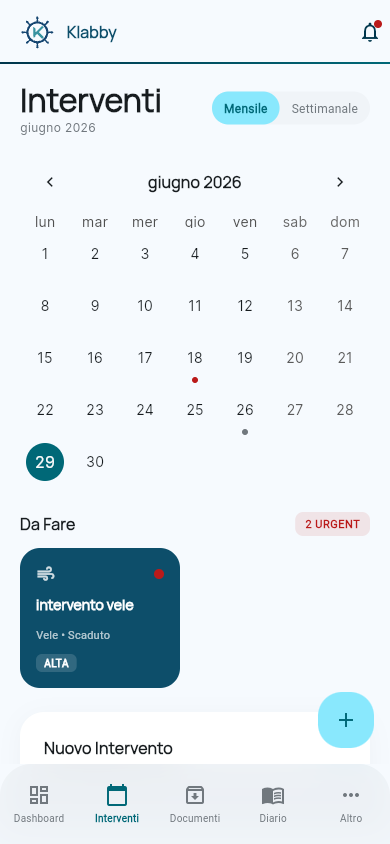
What it does
Service calendar
See it all in one shot: engine, sails, electronics, hull. Filter by type, urgency, onboard system.
Smart checklists
For every recurring job, a pre-set checklist. When you complete it, the next cycle is auto-generated.
Full history
Each job carries its invoice, photos, mechanic notes. When you sell the boat, the history is already there.
Engine hours, automatic
The Logbook updates engine hours in real time. No more manual counting, no more service surprises.
In practice: the 250h service
Engine hits 245 hours. KLABBY warns you. You schedule the job, pick the mechanic, complete it, snap the invoice. The next 500h service is already on the calendar.
- 1 Push notification 30 days before due date
- 2 You schedule from the calendar, block a window
- 3 Complete the checklist, attach invoice via OCR
- 4 Next cycle auto-generated
Integrates with
- Logbook (engine hours updated in real time)
- Documents (invoices and service contracts in one tap)
- Budget (total cost per maintenance category)
- Knowledge Base (cost benchmarks vs. actual spend)
Frequently asked
What if I miss a service deadline?
Status flips to "Overdue", not "Done" — no magic. It stays on top of the list until you handle it. Safety rule: overdue and done are different things.
Can I export the history for a buyer?
Yes. Generate a PDF with the full service log, attachments excluded or included as you choose. Great for due diligence on sale.